First go download putty.exe from http://the.earth.li/~sgtatham/putty/latest/x86/putty.exe
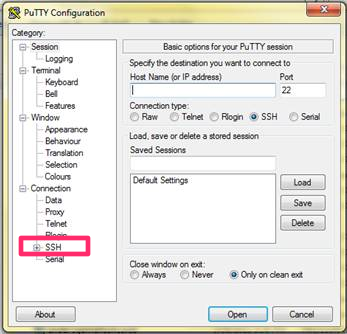
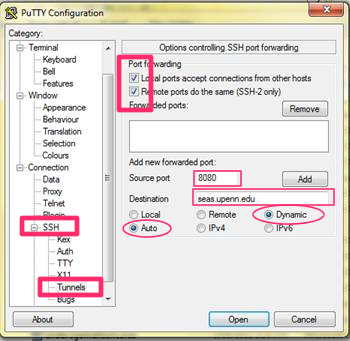
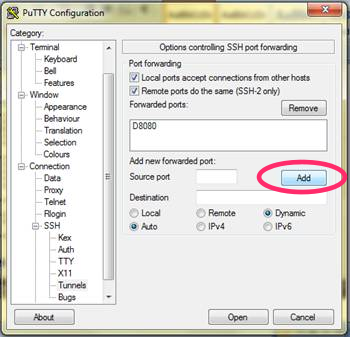
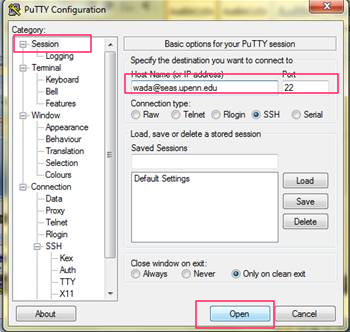
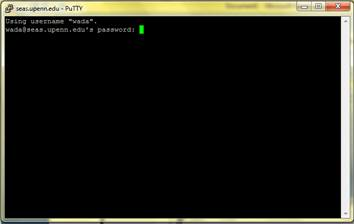
Type in your password below (don't worry if you don't see anything moving, your password is still being typed in). Then press "enter."
Also, never close this putty.exe application or else your ssh tunnel will close
I'm assuming you're using Google Chrome. If not, go into Firefox and under preferences, there should be a tab for Connection/Network/Proxies. Make sure you're using SOCKS5 Proxy and not some other type of proxy.
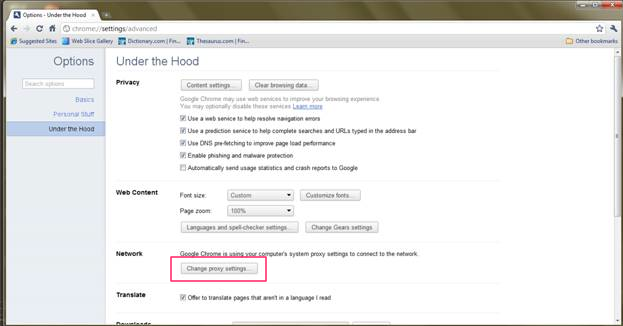
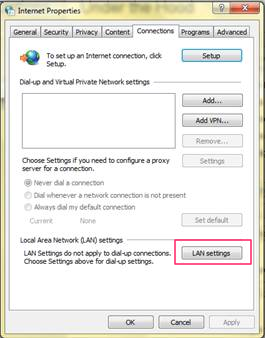
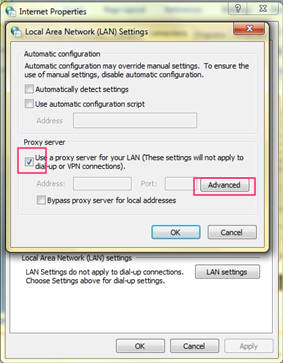
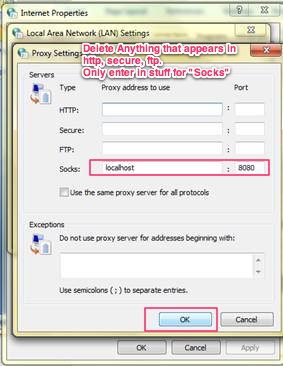
Tadaaa! If you don't want to use a proxy anymore make sure to uncheck the proxy settings.